Manage Preceptor

Preceptor Management
The Preceptors section allows administrators to manage preceptor user accounts and their associated profile information.
From this screen, you can:
- View preceptor records
- Add new preceptors
- Edit existing preceptor details
- Delete preceptor records
- Search and filter preceptors
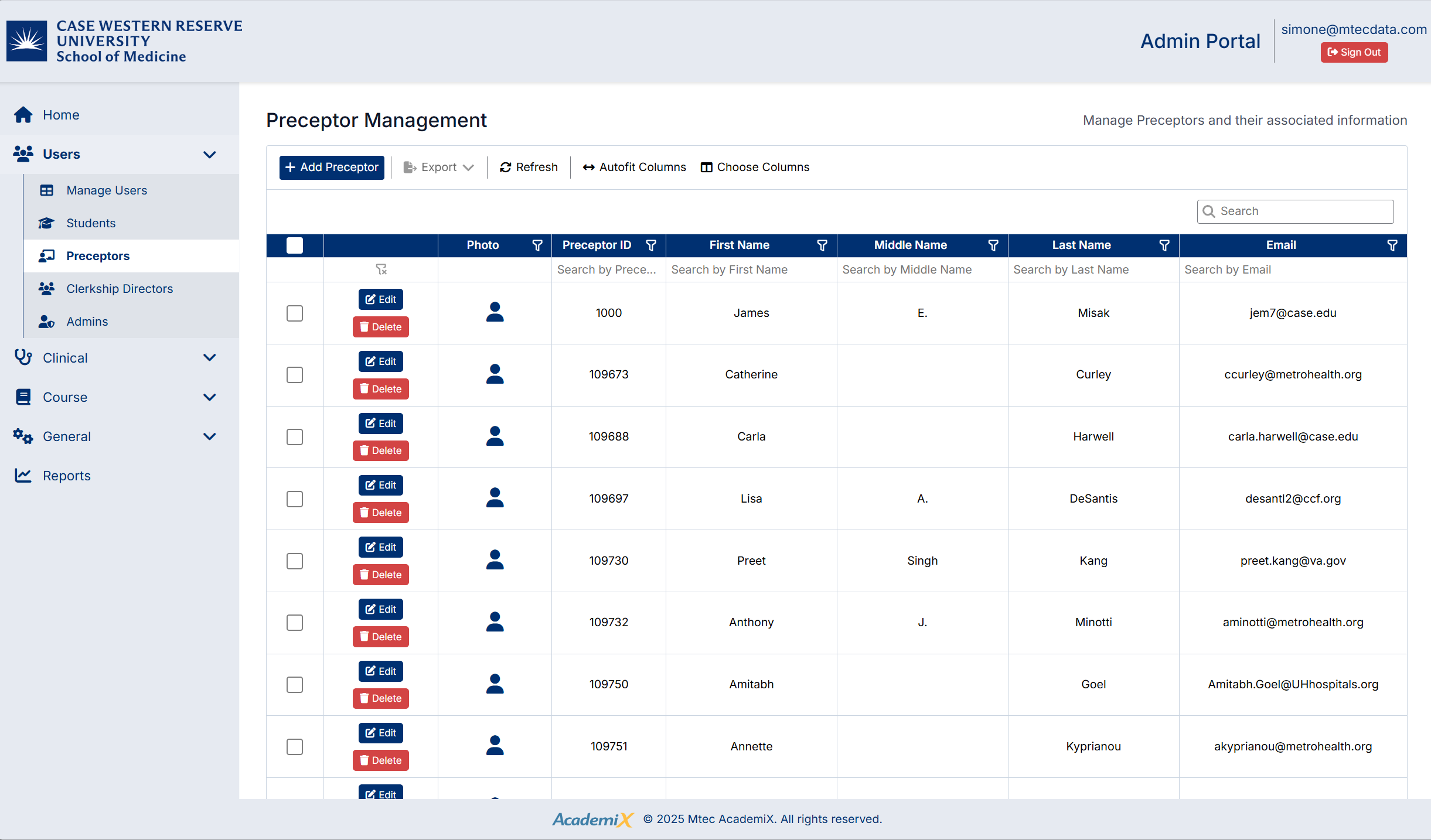
Accessing the Preceptors Screen
To access the Preceptors screen:
- From the left-hand navigation menu, click Users
- Select Preceptors
The Preceptor Management screen will display a list of all preceptors in the system.
Understanding the Preceptors Screen
The Preceptors screen includes:
- A toolbar with actions such as Add Preceptor, Export, Refresh, and column settings
- A data grid displaying preceptor records
- Search and filter options for locating specific preceptors
- Action buttons for each record, including Edit and Delete
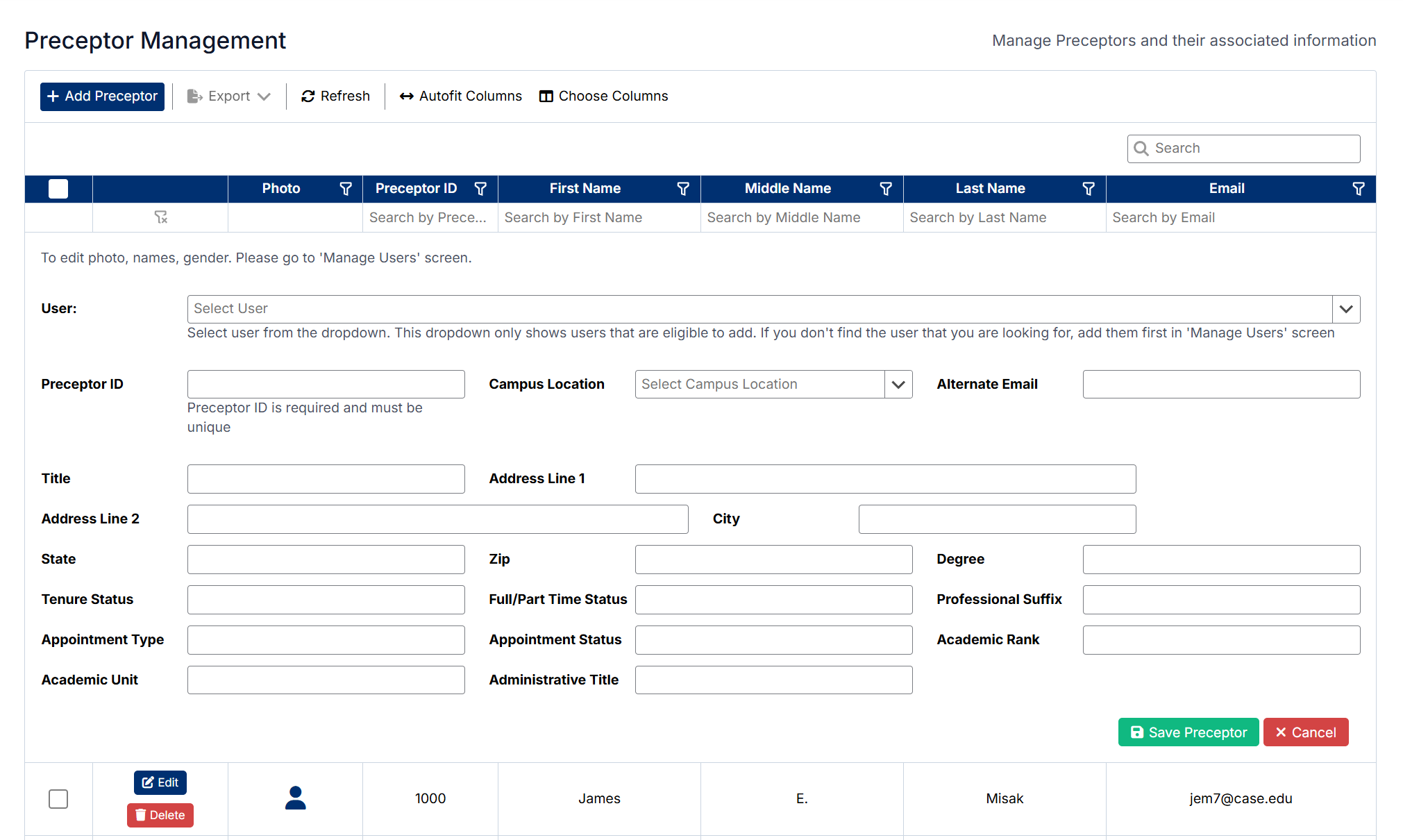
Creating a Preceptor
To create a new preceptor:
- Click Add Preceptor
- Enter the required preceptor information, including:
- Preceptor ID (must be unique)
- Campus Location
- Title and Name-related details
- Contact information (such as email and address)
- Professional and academic details (e.g., degree, rank, appointment type)
- Click Save Preceptor
The new preceptor will be added to the list.
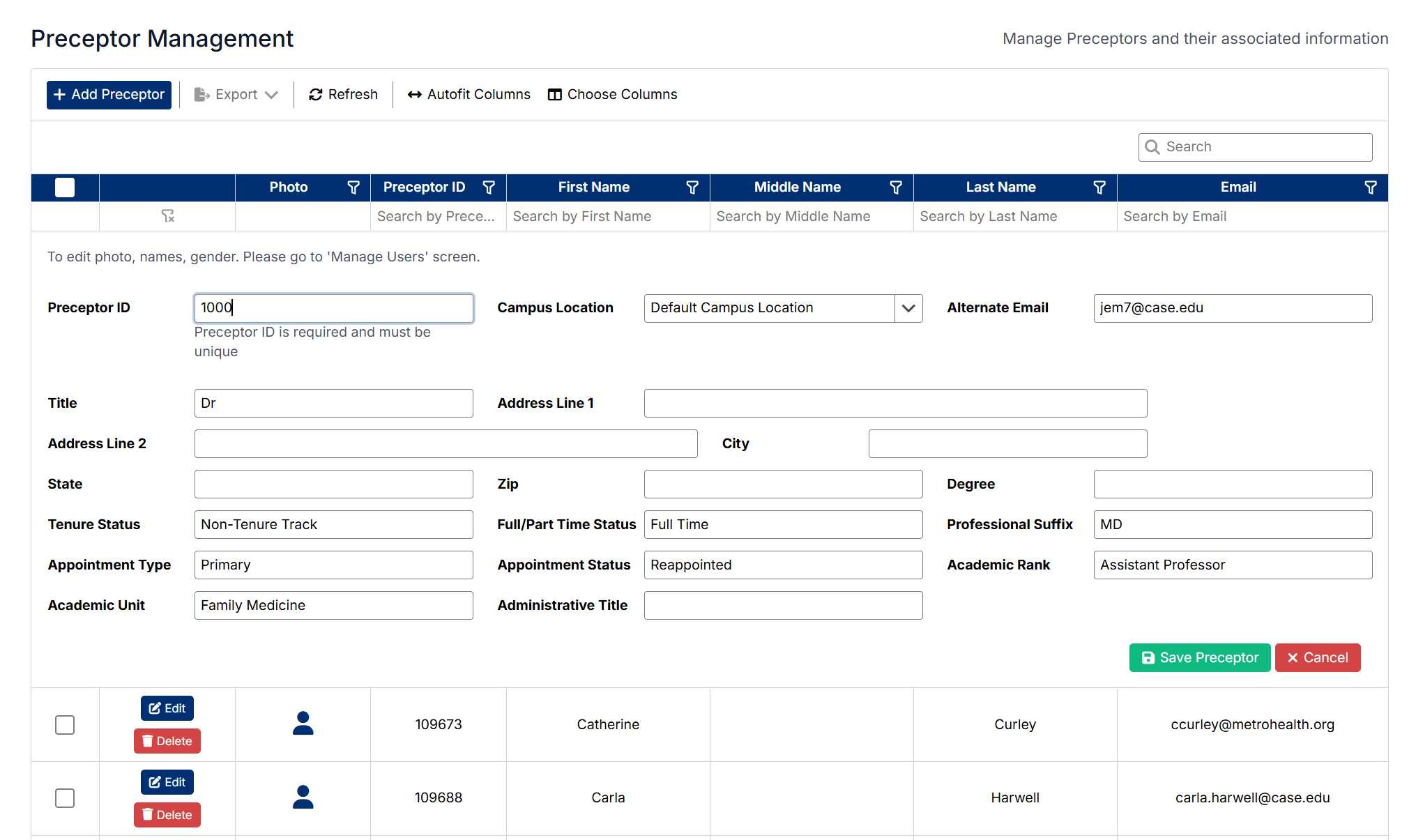
Editing a Preceptor
To edit an existing preceptor:
- Locate the preceptor in the list
- Click Edit next to the preceptor record
- Update the required fields, such as:
- Preceptor ID
- Campus Location
- Title and name-related details
- Contact information (such as email and address)
- Professional and academic details (e.g., degree, rank, appointment type)
- Click Save Preceptor
The updated information will be saved and reflected in the preceptor list.
Deleting a Preceptor
To delete a preceptor:
- Locate the preceptor in the list
- Click Delete next to the preceptor record
- Confirm the deletion when prompted
The preceptor will be removed from the system.
Important Notes
- Preceptor ID values must remain unique
- Some fields may be required before saving
Created with the Personal Edition of HelpNDoc: Full-featured Help generator