Manage Academic Years

Academic Years Management
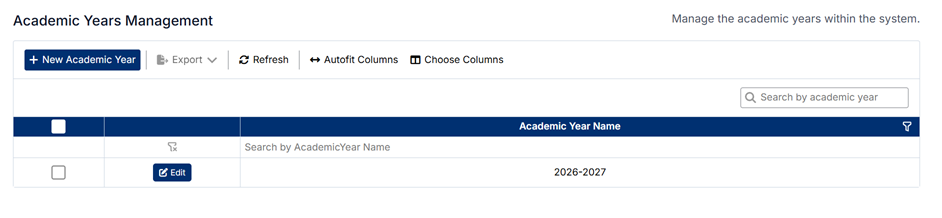
The Academic Years Management screen allows administrators to define and maintain the academic years used within the system. Academic years provide the top-level structure for organizing terms, courses, and reporting.
Accessing Academic Years
To access the Academic Years Management screen:
- From the left-hand navigation menu, select Course
- Click Academic Years
The screen displays a list of all academic years currently configured in the system.
Understanding the Screen
- Academic years are displayed in a simple list
- The toolbar includes options such as New Academic Year, Export, Refresh, and column configuration
- The search bar allows you to quickly find a specific academic year
- Each academic year can be edited directly from the list
How Academic Years Are Used
Academic years are the foundation of the course structure and are used to:
- Organize terms (e.g., semesters or blocks)
- Structure course scheduling and delivery
- Support reporting and academic tracking
All terms and course sessions are created within an academic year.
Creating a New Academic Year
To create a new academic year:
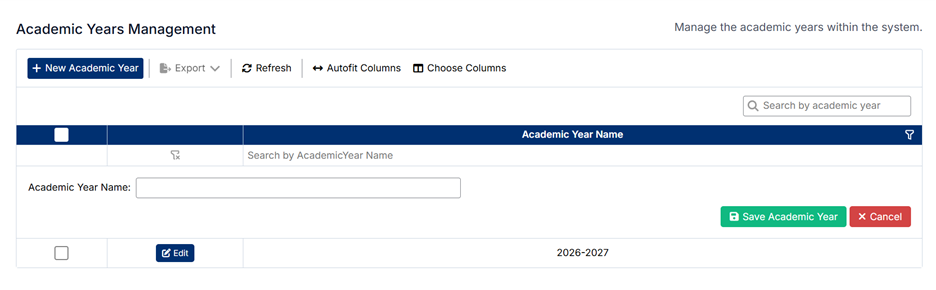
- Click + New Academic Year
- Enter the Academic Year Name (e.g., 2026–2027)
- Click Save Academic Year
The new academic year will appear in the list and be available for use when creating terms.
Editing an Existing Academic Year
To edit an academic year:
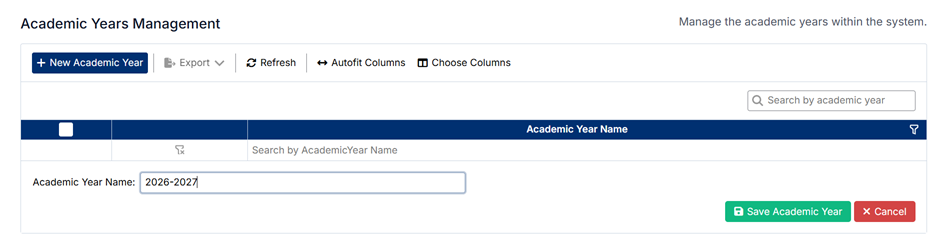
- Locate the academic year in the list
- Click Edit
- Update the Academic Year Name
- Click Save Academic Year
Changes will be applied immediately.
Deleting Academic Years
⚠️ Academic years cannot be deleted.
This restriction ensures data integrity, as academic years may be linked to:
- Terms
- Course sessions
- Student data and reporting
If an academic year is no longer required, it is recommended to leave it as is for historical reference.
Important Notes
- Academic years must be created before defining terms and courses
- Naming should be consistent (e.g., YYYY–YYYY) for clarity and reporting
- Changes may impact how academic data is organized and displayed
Proper setup of academic years ensures a clear and structured foundation for all course-related data.
Created with the Personal Edition of HelpNDoc: HelpNDoc's Project Analyzer: Incredible documentation assistant